Git Basic
How to Set Git Username and Email Correctly
Before your first commit, Git needs to know who you are. Here is how to set your global username and email, verify them, and make sure your commits are linked to your account.
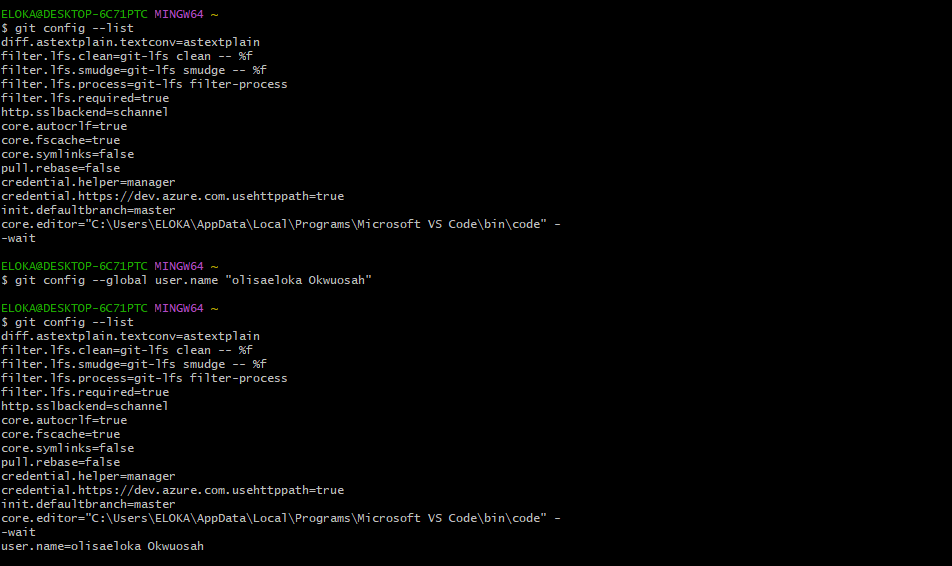
Step 1 Set Your Username
Run the following command, replacing the example name with your actual name:
Set global username
git config --global user.name "Your Name"
Verify it was set correctly:
Verify username
git config --global user.name
Step 2 Set Your Email
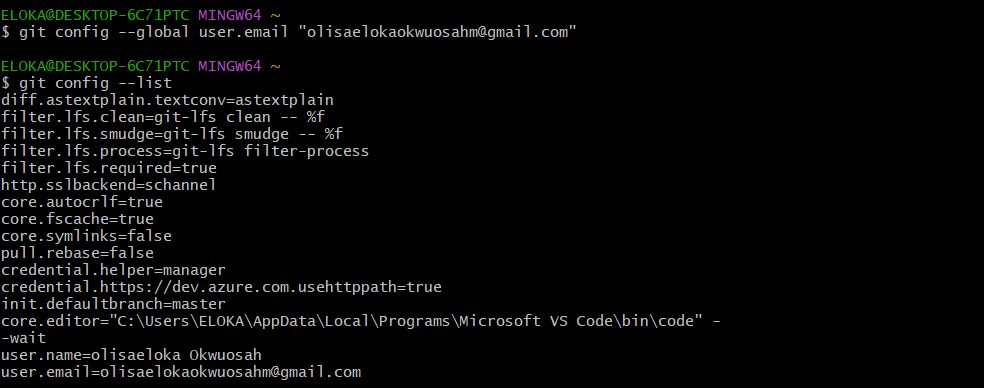
Run the following command, replacing the example address with your actual email:
Set global email
git config --global user.email "your-email@example.com"
Verify it was set correctly:
Verify email
git config --global user.email
Set Both at Once
You can run both commands back to back to set up your identity in one go:
Set username and email
git config --global user.name "Your Name"
git config --global user.email "your-email@example.com"
Verify All Global Settings
To see your full Git configuration at once:
List all settings
git config --global --list
Tip: Use the same email address you have registered on GitHub, GitLab, or Bitbucket so your commits are properly linked to your account.